

DxO PhotoLab 8 Review
15% Discount until 20 October
DxO have given me a discount code that is valid until 20th October or 100 downloads, whichever happens first. Use this link – Use this link https://tidd.ly/47PI81e and input the code PAR_177175525_K8M93BHMZDPT for a 15% discount at checkout. The code is only valid for new licenses, the upgrade price is already discounted.
It’s that time of year again and DxO have released the version 8 upgrade for PhotoLab which means that its time for a DxO PhotoLab 8 Review!
I’ve had the beta version for a couple of weeks now and at first glance this seemed like a consolidation upgrade, nothing spectacular, just refining what was already there and making it work better and faster.
So what is in the new release that merits a further €109 investment?
Once you start digging, actually quite a lot.
Table of Contents
DxO PhotoLab 8 Review
“The noise reduction and detail extraction is like nothing you’ve seen before, and its refreshed tools and new features give photographers more precision than ever before.”
Jean-Marc Alexia VP of Product Strategy.
PhotoLab has always been a superlative RAW processor and the main reason I use it is just that, my RAW images appear to be more detailed, there is better retention of detail in the highlights and shadows and in terms of competing with Adobe Camera RAW and Capture One, I put PhotoLab just ahead of CaptureOne on RAW processing alone.
Noise Reduction
The release of PureRAW4 included a new iteration of the algorithm, DeepPRIME XD2 and there were a few eyebrows raised when that didn’t also appear in an update to PureRAW. Well, DxO have raised the ante, Now available in PhotoLab 8 is DeepPRIME XD2s representing a further step in the extraction of detail and AI powered noise reduction.
Real World Test
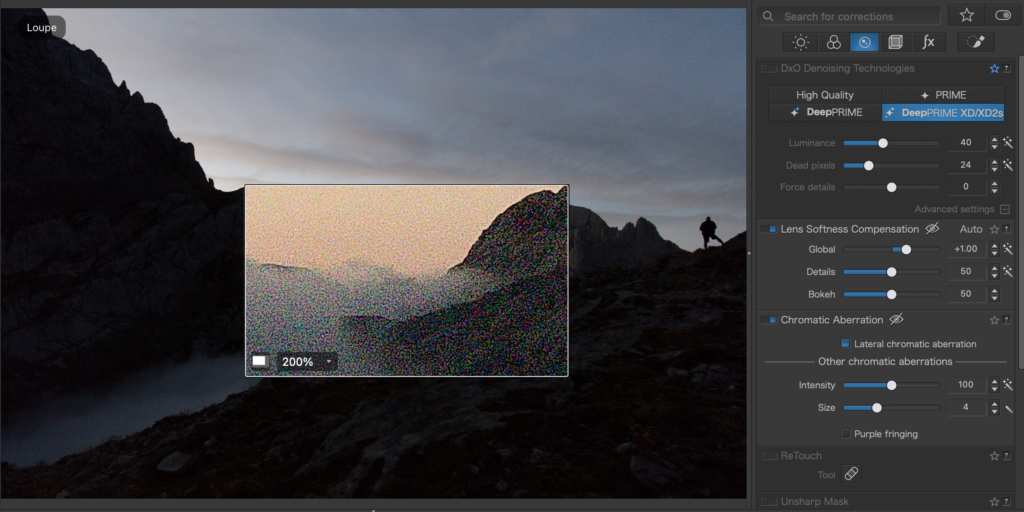
I dug out one of my dawn photos from last year’s expedition to the Picos de Europa – I exposed for the sky but still needed ISO 5000 to make the picture work. The Canon 5Ds is getting a bit long in the tooth now and the picture is very noisy. Have a look at the ‘after’ shot.

As you can see, this has done a pretty good job of eliminating noise while keeping detail. Verdict: Win
Lens Softness Compensation
With PhotoLab 8, lens softness compensation has been enhanced via DxO’s Optics Modules which are mathematical models developed from observing the performance of each lens across the entire field of view and focal range. DxO’s newly improved exclusive lens softness algorithms reveal detail without adding fringing artifacts in high-frequency areas. This is quietly revolutionary.
Real World Test
In the studio I found this needed careful handling. Like ClearView it caused a few artifacts and dark fringing when overused. However I used it after applying noise reduction through XD2s so there would have been some duplication of sharpening which would account for the problems.
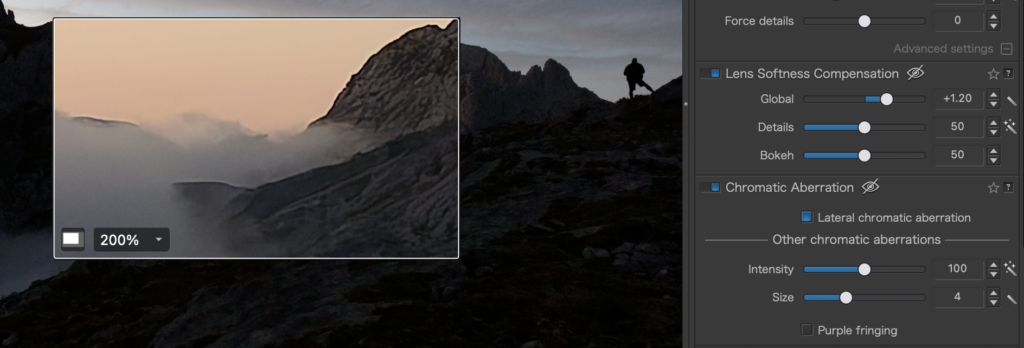
Verdict: This tool duplicates some of the corrective sharpening applied in the presets and by the Noise Reduction process so it needs to be used very carefully. Like UnSharp Mask the results can be horrendous if overdone.
Image Preview
Image Preview has evolved within PhotoLab 8, you can now visualise the changes and effects you want in your images faster by using the new Loupe tool to see the effects applied by for example: DeepPRIME XD2s, Exposure, ClearView, Smart Lighting, Tone Curve, etc. This tool can be repositioned, enlarged and used at various resolutions, to visualise the changes the photographer is making.
Real World Test
The improved Loupe tool is both more responsive and more flexible. It is invoked from the toolbar above the workspace. Initially I thought this was simply a useful addition, however I now find it essential. I use it all the time in a variety of different adjustment scenarios.
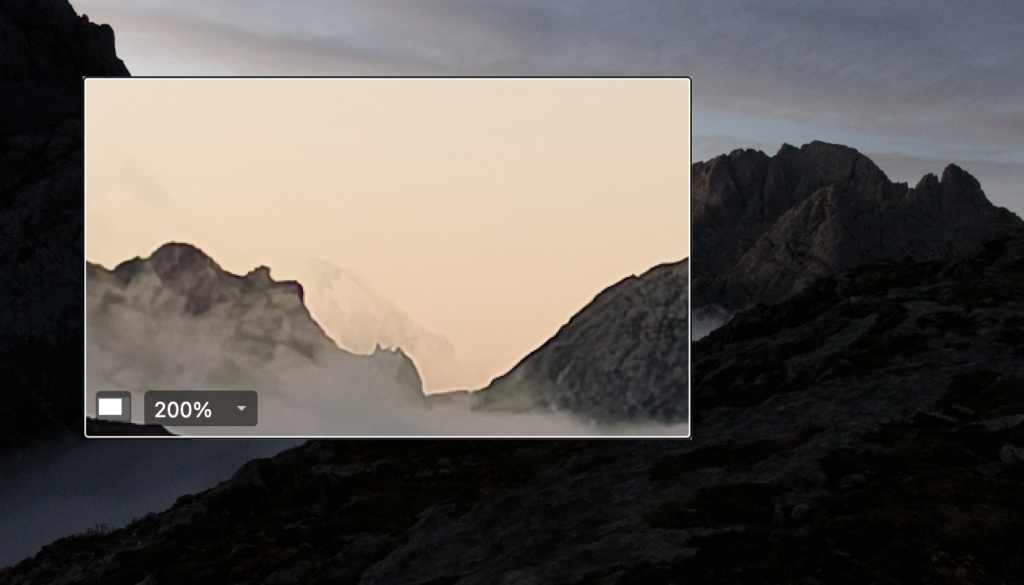
Verdict: Win +
Local Adjustments
There is a new Hue Mask tool giving even more options for making precise selections, using DxO’s unique U Point™ technology. Enabling photographers to select individual hues for targeted editing in addition to last year’s Luminosity Mask.
Real World Test
To appreciate the new Hue Mask, it’s worth recapping the function of last year’s edition of the luminosity mask.
In this example, I selected the cloud in both cases. So the sampled colour was grey. My intention was to bring up the color of the inversion, closer to white.
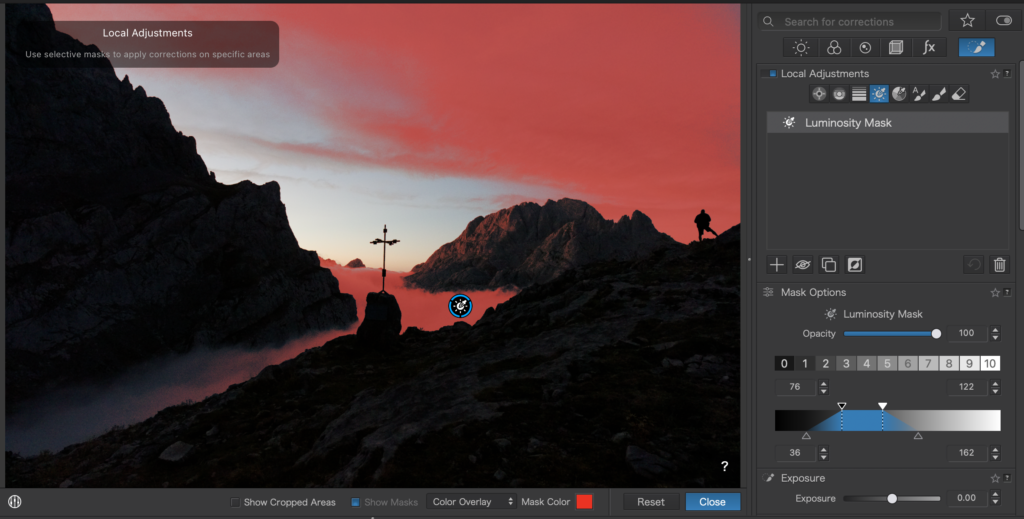
The default mask includes a lot of the sky, most of the inversion and some of the rock.
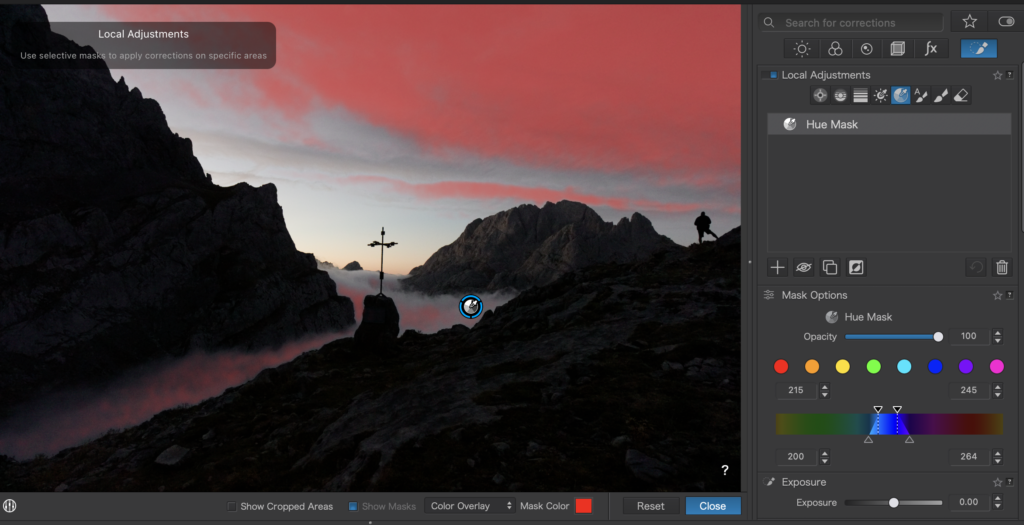
The default Hue Mask selects some of the sky, and a part of the inversion.
The conclusion is that the Hue Mask can be used to get at areas that are not similarly bright (or dark). A better example would be to sample the pink/orange light in the sky as that also selects the light falling on the rock face when done with the Hue Mask.
Tone Curve Improvements
DxO has further developed the Tone Curve palette, with the addition of some great new features.

Luma Curves
Luma Curves enable photographers to neutrally adjust image tones while avoiding unexpected colour shifts when modifying brightness and contrast.
Verdict: This is another improvement that quickly becomes essential. The way that contrast and exposure controls affect colour and saturation is well documented and unavoidable. This tool gives us a way of approaching areas in a photograph that we need to be more careful with regarding unexpected saturation and color shifts.
Tone Picker Tool
With the new Tone Picker tool the photographer can now see where a tone value is on the Tone Curve, thereby enabling you to make precise image adjustments.
Histogram
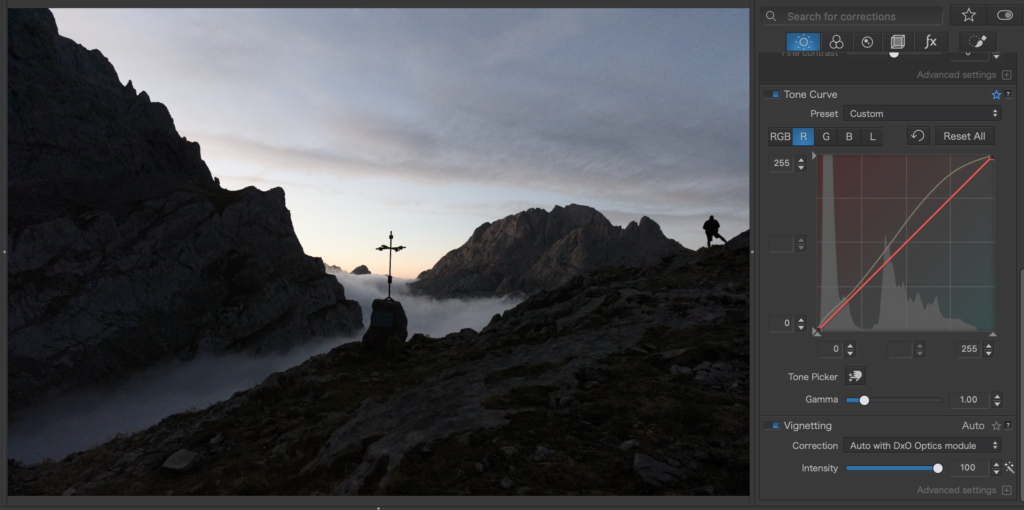
The Histogram is now displayed in the Tone Curve Palette, photographers working in either R,G,B channels now get a visual guide with bi-colour tints and can now edit using numerical values to precisely dial in their adjustments, followed up with a new ability to save presets within the Tone Curve palette.
Verdict: Very Welcome!
Correction Preview Rollover
The new Correction Rollover gives a live preview of effects when the cursor hovers over rendering settings (eg; Color Renderings, LUTs, Tone Curve Presets) making correction choices easier to see.
Verdict: This is standard in the Adobe Suite so a very welcome addition in PhotoLab
Compare Mode
Compare mode has evolved enabling the photographer to set a reference image to then use as a reference point when processing multiple images.
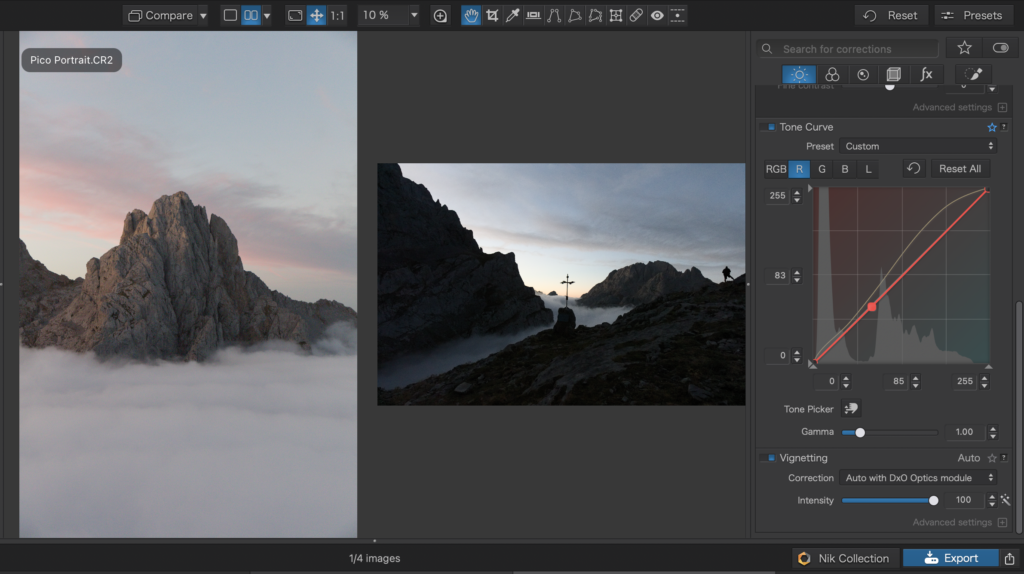
Verdict: This is a visual cue. It is handy to have something to compare edits with. It really needs a little bit of refining as there is no way to resize the reference image so in the example, the image I am working on occupies too small an area to be useful for detailed work.
Speed
Faster workflow, DxO has boosted the library performance, with browsing and image loading speeds noticeably faster.
Verdict: Always Welcome
Price and Availability
DxO PhotoLab 8 (Windows and macOS) is now available for purchase on the DxO website at the following prices:
| UK | US | EU | |
| DxO PhotoLab 8 | £209 | $229 | €229 |
| Upgrade from v6 or v7 | £99 | $109 | €109 |
PhotoLab8 is also available in bundle with DxO FilmPack 7
| UK | US | EU | |
| PhotoLab 8 + FilmPack 7 | £249 | $299 | €299 |
Is DxO PhotoLab 8 Worth it?
Conclusion
This update could be described as a consolidation move – but that might be understating the effect of the new improved tooling. There is no groundbreaking new functionality yet the improvements that have been made are essential in the sense that they quickly become a core part of the RAW processing workflow.
In terms of competitive position these improvements push PhotoLab to the fore again in terms of competing with Lightroom/ACR and CaptureOne. My impression is that I have more options at my fingertips for more finely grained edits and the tools are undeniably faster and smoother in use.
Value for Money
If you already own PhotoLab, you will definitely find these updates useful, but are they essential?
I’m still on the fence about this upgrade, perhaps it’s not essential to everyone and €109 is a lot to pay for what is effectively a consolidation update, but I’d certainly encourage you to download the trial version and see how you get on with it. An option might be to wait another twelve months and upgrade then.
If you are new to DxO then it’s a different story. This version of PhotoLab is a more compelling offering than the previous version and much more competitively positioned with reference to Adobe and CaptureOne. I would definitely recommend.
Try or Buy
You can download a free 30 Day Trial version of DxO PhotoLab 8 from the link below:
or if you are upgrading or simply purchasing a new license then
Update 21 September – DxO have given me a 15% discount code that is valid until 20th October or 100 downloads, whichever happens first. Use this link – Use this link https://tidd.ly/47PI81e and input the code PAR_177175525_K8M93BHMZDPT for a 15% discount at checkout. Please note that the code is only valid for new licenses, the upgrade price is already discounted.
Further Reading
Subscribe…
I’ll keep you in the loop with regular monthly updates on Workshops, Courses, Guides & Reviews.
Sign up here and get special prices on all courses and photowalks in 2026


