
In Camera Picture Styles: They’re Not What You Think!
I’ve never really bothered much with the in camera picture styles on my Canon cameras, after all I shoot in RAW so it makes no difference, right?
The picture style settings on Canon cameras applies parameters affecting Sharpness, Contrast, Saturation and Color Tone to the jpeg displayed on the back of the camera, and to the preview before you press the shutter button.
Sharpness is broken out into Strength, Fineness and Threshold, occupying the first three spaces on the list.
So why do we RAW shooters care?
A couple of reasons. If you’re in the habit of checking your image on the display after you take it, “Chimping” as it is known, then be aware that by default, the Standard Profile is applied.
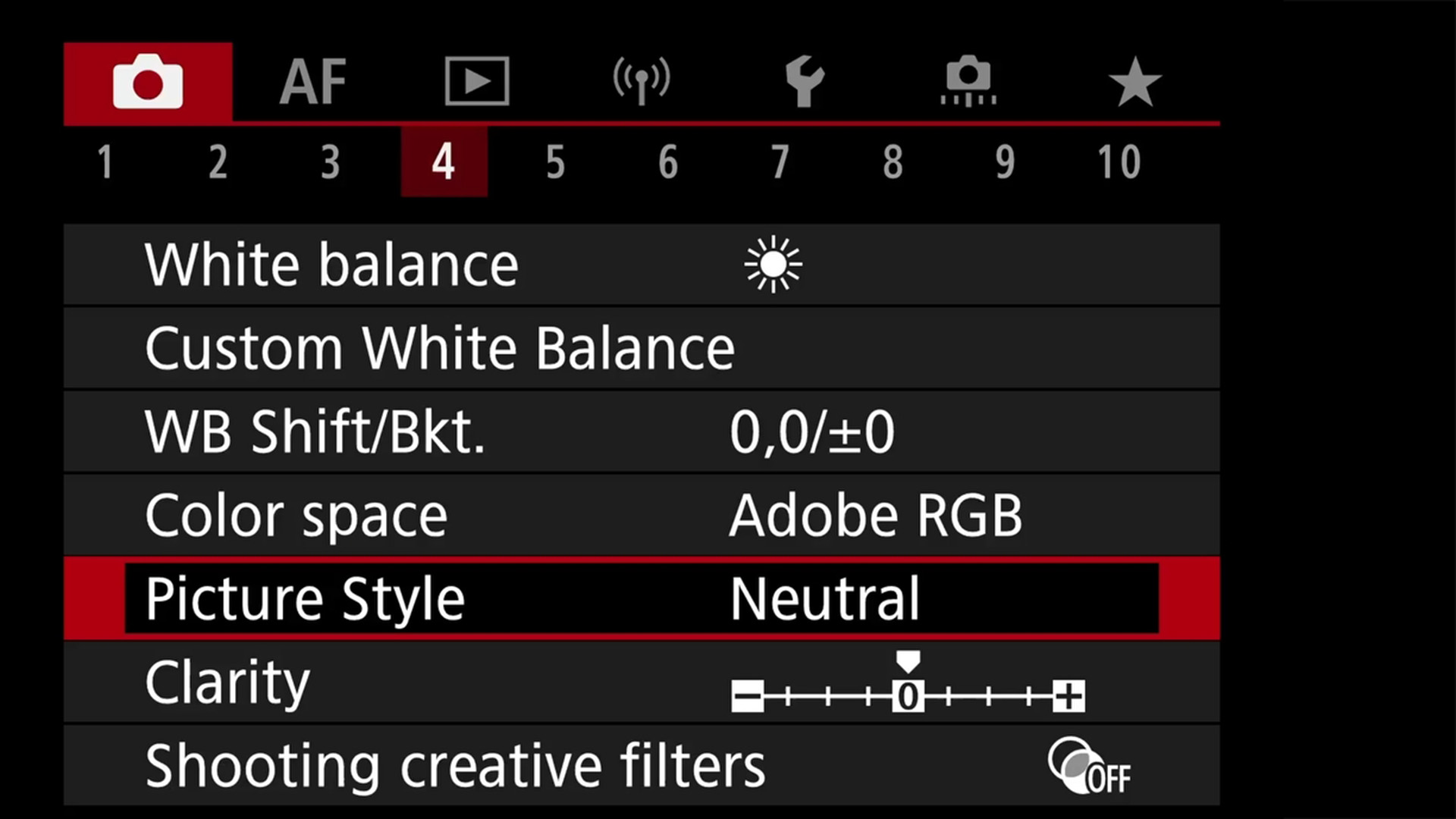
The profiles available out of the box include – Auto, Standard, Portrait, Landscape, Fine Detail, Neutral, Faithful and Monochrome. There are three slots available for user defined profiles.
Here is the kicker – as well as the jpeg on the back of the camera, this picture style also affects the histogram, so if you are relying on the histogram or even zebras to tell you when you are over or under exposed, then the histogram is not showing you the RAW, it’s showing you the preview amended RAW. In practise this is likely to mean you have slightly more headroom than you may think.
I use the Neutral Profile – this only boosts sharpness, leaving color, contrast and tone untouched. This gives me a much better idea of what the image will look like when I import it into Lightroom than any of the other profiles and a more accurate representation of exposure. I would recommend any landscape photographer to do the same.
Note that you can use Lightroom’s Adobe profiles to approximate these camera settings in post processing.
Subscribe…
I’ll keep you in the loop with regular monthly updates on Workshops, Courses, Guides & Reviews.
Sign up here and get special prices on all courses and photowalks in 2026


